RSS Feeds
Simple Page generates an RSS feed automatically at /rss.xml. Any page that opts in through frontmatter becomes a feed item. Visitors can subscribe to your updates using any RSS reader — and because the feed is published to IPFS alongside your content, it's permanent and censorship-resistant like everything else on Simple Page.
You can also use RSS to publish podcasts. Embed an MP3 in a post, and it becomes a podcast episode with a proper <enclosure> tag.
Enabling RSS for a Page
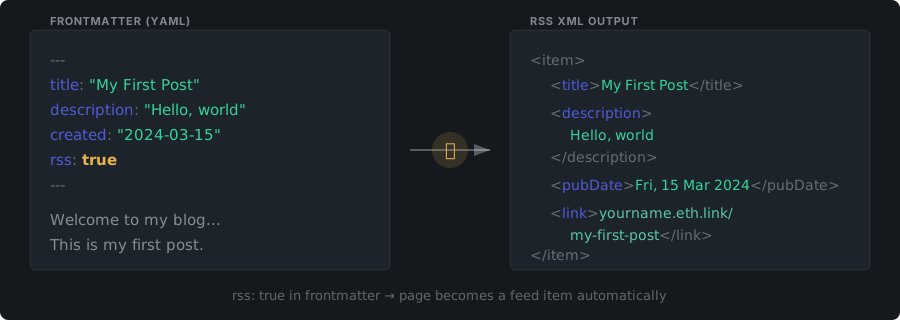
Add a --- frontmatter block at the very top of the page. A page is included in your RSS feed when both conditions are met:
rss: trueis present- A
createdtimestamp is set
---
title: My First Post
description: A short summary for RSS readers
created: 2026-01-29
rss: true
---
That's it. The page will appear in your /rss.xml on the next publish.
Frontmatter Fields for RSS
All keys are lowercase. Only these fields affect RSS generation:
| Key | Required | Description |
|---|---|---|
rss |
Yes | Must be true to include the page in the feed |
created |
Yes | ISO date or datetime (2026-01-29 or 2026-01-29T10:00:00Z). Determines item order |
title |
No | RSS item title. Defaults to your domain name if missing |
description |
No | RSS item summary. Defaults to empty |
updated |
No | ISO date. Used for atom:updated and dc:modified |
tags |
No | Categories. YAML list (- tag) or comma-separated (tag1, tag2) |
Full Example
---
title: Simple Page V2 Launch
description: The definitive way to publish on IPFS
created: 2026-03-12
updated: 2026-03-15T14:30:00Z
rss: true
tags:
  - release
  - ipfs
  - ethereum
---
Feed Metadata
The RSS channel (feed-level information) is pulled from your root page's frontmatter:
| Key | Effect | Default |
|---|---|---|
title |
Feed title | Your domain name |
description |
Feed description | A SimplePage by <domain> |
language |
Feed language code | en |
The feed URL is https://yourdomain.eth.link/rss.xml. The path /feed redirects to it.
Content and Media in Feed Items
Page Content
Each RSS item includes the full rendered HTML body of the page as content:encoded. Readers see your complete post, not just a summary.
Media and Enclosures
Simple Page inspects the first image or media embed () in each page:
| File type | What happens |
|---|---|
Image (.jpg, .png, .gif) |
Included inline in content:encoded only |
Audio (.mp3, .ogg) |
Becomes an <enclosure> entry — podcast-ready |
Video (.mp4, .webm) |
Becomes an <enclosure> entry |
Becomes an <enclosure> entry |
Relative media URLs (like /_files/audio/episode.mp3) are automatically converted to absolute URLs using your site domain.
Publishing Podcasts
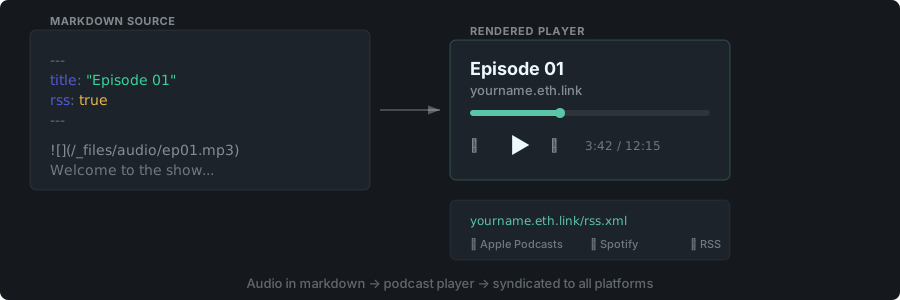
Because audio links become <enclosure> entries, you can publish podcast episodes by embedding an MP3 in any RSS-enabled page:
---
title: Episode 1 — Getting Started
description: Our first episode
created: 2026-02-01
rss: true
---
# Episode 1
Welcome to the show.

Point your podcast directory (Apple Podcasts, Spotify, etc.) at https://yourdomain.eth.link/rss.xml and you have a decentralized podcast.
Feed Limits
- Items are sorted newest to oldest by
createddate - Maximum 30 items in the feed
- Feed generation stops at approximately 2 MB of content